Learn how to implement Row-Level Security (RLS) in Sigma Computing using MyReportPortal to ensure secure, tenant-isolated embedded analytics. Master dynamic user attributes, bridge tables, and email alias testing to protect multi-tenant data effortlessly.
Embedded analytics has a compelling value proposition for many organizations: by giving customers, partners, or vendors direct access to data within your own portal, you drive product value, increase stickiness, and empower your users. However, the hidden challenge lies in the execution. You cannot simply expose a dashboard; you must ensure that Customer A never views Customer B’s sensitive data. This security pattern is called Row-Level Security (RLS).
At MyReportPortal, we believe implementing RLS in Sigma Computing is incredibly powerful, but it requires a solid data foundation. This post bridges the gap between high-level security requirements and technical implementation, showing you how to build a robust architecture that makes embedding Sigma easy.
The most common friction point in RLS is the "Identity Disconnect." Many technical guides operate under the assumption that your transactional tables already contain a user_email column. In reality, they rarely do.
To succeed, you must first define your entities:
Your mission is to trace the data lineage from the Application User to the Transactional Data, creating a clear map that the system can query dynamically.
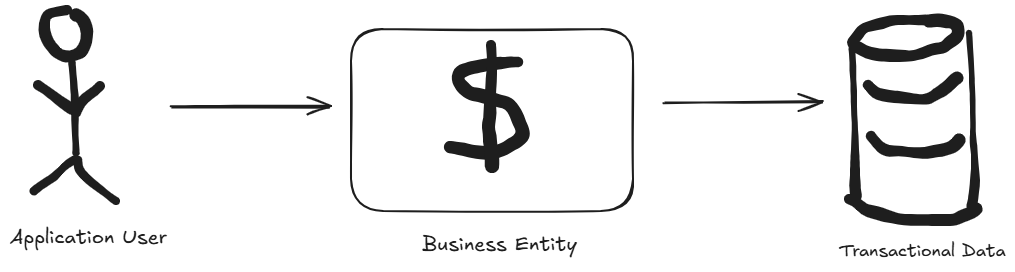
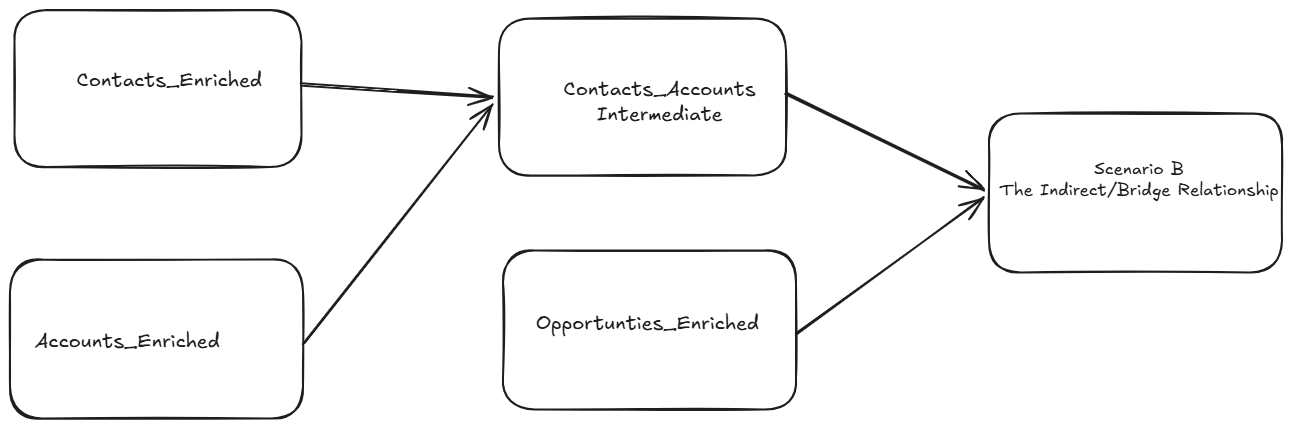
Now, let's visualize the flow from: User Table → Entitlements Table → Sales Table.
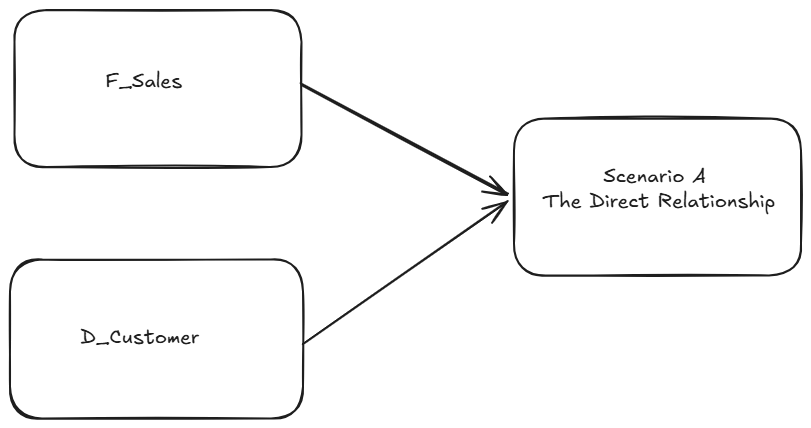
When the application user is directly employed by a specific client, the logic is straightforward. If the sales table contains a vendor_id, you simply need a lookup map to find the Vendor ID associated with the User Email..
If a regional manager oversees multiple franchises, or a consultant works across several accounts, you need an "Entitlements" or "Bridge" table in your data warehouse. This table maps a single User Email to multiple Entity IDs, allowing for complex, many-to-many permissions without code bloat.
To move beyond static, cumbersome filtering, you must leverage Sigma User Attributes. These are the linchpin of a scalable RLS strategy, transforming your dashboards from rigid, one-size-fits-all reports into dynamic, identity-aware applications. Unlike standard filters, User Attributes function as dynamic variables that act as placeholders, populated in real-time during the secure embed handshake.
[Email] = CurrentUserEmail()
A common hurdle arises when internal teams need to test or troubleshoot the embedded portal experience on behalf of external stakeholders. These users often hold internal Sigma accounts, which conflict with the unique identifiers required for embedded access.
Leverage sub-addressing (e.g., john.doe+embed@company.com), MyReportPortal automatically passes these modified aliases during the secure embed handshake, ensuring internal teams can leverage your embedding portal without requiring a separate user account.
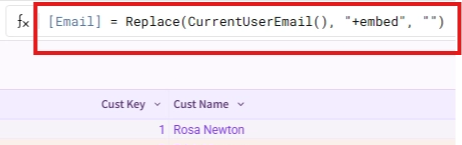
Leveraging email aliases in this context is considered the best practice by Sigma for handling embedded user accounts, so whether you're using the white label, turn-key embedding solution built specifically for Sigma like MyReportPortal or your own custom solution, always set up your RLS in Sigma to remove the alias from the email address:
replace(CurrentUserEmail(),”+embed”,””) = [Email]
Behind the scenes, a secure embed is a conversation between your portal and Sigma. MyReportPortal handles the complex generation of signed URLs and injecting the user’s email directly into the Sigma payload.
MyReportPortal simplifies the entire embedding lifecycle beyond just RLS. Key benefits include:
RLS in Data Models: Instead of building out the backend of your RLS infrastructure in each Sigma workbook you intend to embed, build out a Sigma Data Model with both “internal” and “embed” versions of the reusable elements you intend to use in your embedded workbooks. This will ensure your RLS isn’t corrupted because you forgot to hide an element or page.
The "Fall-Through" Risk: Always design your RLS rules defensively. If a user context is missing, the dashboard should default to "Zero Data Visible" rather than "All Data Visible."
Data Lineage Auditing: Periodically audit your bridge tables to ensure that when a user changes roles or leaves an organization, their permissions are revoked immediately in the data warehouse.
Row-Level Security is a relationship problem. Once you map your users to your business entities, Sigma and MyReportPortal do the heavy lifting to ensure the right data reaches the right eyes.
Ready to roll out secure, beautiful embedded analytics in days instead of months? Start a free trial with MyReportPortal or book a demo today to see how we can simplify your path to production.
Embed Sigma dashboards behind your domain and your branding, with no engineering project.
Start free trial